




Phishing

What Is Phishing? A Complete Guide to Phishing Attacks and How to Stop Them

Phishing is not a new problem — but it is a growing one. As businesses rely more heavily on email, digital payments, and cloud-based tools, cybercriminals have found increasingly clever ways to exploit that dependence. Today, phishing attacks are the single most common form of cybercrime globally, and they affect organizations of every size, in every industry.

What makes phishing particularly dangerous is that it targets people, not systems. Even a well-secured organization can fall victim to a single convincing phishing email. Understanding what phishing looks like, how it works, and what you can do to stop it is one of the most important steps any individual or business can take.

What Is Phishing?

Phishing is a form of social engineering — it manipulates human behavior (trust, fear, and urgency) rather than exploiting a software vulnerability. The attacker pretends to be someone or something the target already trusts: a bank, a colleague, a government agency, or a well-known software provider like Microsoft or Google.

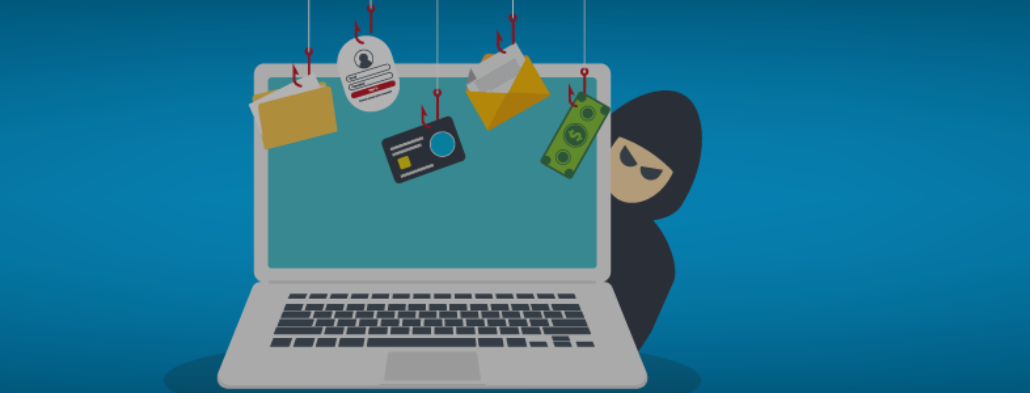
The word "phishing" is a deliberate misspelling of "fishing." The attacker casts a wide net — or a very precise lure — hoping their target will bite. Once someone takes the bait by clicking a malicious link, opening an attachment, or entering personal information on a fake website, the attacker achieves their goal.

The goal of a phishing attack is almost always one of the following: credential theft (stealing usernames and passwords), financial fraud (tricking someone into transferring money), malware delivery (installing malicious software on a device), or data theft (harvesting sensitive information for sale or further exploitation).

How Phishing Works: An End-to-End Overview

Every phishing attack follows a basic pattern, even if the specific tactics vary. Here is how a typical attack unfolds:

Step 1: Target selection. The attacker chooses a target — this could be a random individual, a specific employee, or an entire organization. More sophisticated attacks focus on high-value targets like executives, finance teams, or IT administrators.

Step 2: Message crafting. The attacker designs an email, text, or phone call that appears to come from a trusted source. They may copy logos, mimic writing styles, and use a domain name that looks almost identical to the real one (such as "micros0ft.com" instead of "microsoft.com").

Step 3: Creating a sense of urgency. The message pressures the recipient to act immediately — "Your account will be suspended," "Verify your identity now," or "Invoice payment overdue." This urgency is designed to short-circuit critical thinking.

Step 4: The click. Clicking a link typically leads to a fake website designed to harvest login credentials or financial information. Opening an attachment may silently install malware on the device.

Step 5: Exploitation. The attacker uses the stolen information — selling credentials, transferring funds, accessing corporate systems, or using the compromised account to launch further attacks.

Key Types of Phishing Attacks

Phishing has evolved well beyond basic email scams. Modern attackers use a range of channels and techniques.

Email Phishing

The most common form. Mass phishing emails are sent to thousands of recipients simultaneously, impersonating well-known brands such as PayPal, Amazon, or Microsoft. The goal is to trick at least a small percentage of recipients into taking action.

Spear Phishing

Unlike bulk phishing, spear phishing targets a specific individual or organization. Attackers research their target using LinkedIn, company websites, or social media to make the message highly personalized and convincing. Spear phishing is significantly harder to detect because it does not look like a generic mass email.

Whaling

A form of spear phishing aimed specifically at senior executives. Because executives have high-level system access and authority over financial transactions, a successful whaling attack can be devastating.

Smishing (SMS Phishing)

Phishing delivered via text messages. A smishing message might claim that a package could not be delivered, that a bank account has been compromised, or that a prize has been won. It typically contains a malicious link to a fake website.

Vishing (Voice Phishing)

Voice phishing involves phone calls from attackers posing as bank representatives, government officials, or tech support agents. With the rise of AI-generated deepfake voice technology, attackers can now convincingly impersonate real executives or colleagues over the phone.

Quishing (QR Code Phishing)

A newer phishing technique that hides malicious links inside QR codes. Victims scan what appears to be a legitimate QR code — on a poster, invoice, or email — and are directed to a phishing website.

Angler Phishing

Phishing conducted through social media platforms. Attackers create fake customer service accounts or respond to public complaints, directing users to fake support websites where credentials are harvested.

Clone Phishing

Attackers take a legitimate email that was previously sent — a receipt or an invoice — and create a near-identical copy with the links or attachments replaced with malicious versions.

Phishing is not only the most common cyberattack — it is also one of the fastest-evolving. Several key trends are reshaping the threat landscape:

  • AI-powered phishing: Generative AI tools can produce highly convincing phishing messages in minutes, making it far easier for attackers to run personalized campaigns at scale. The obvious grammatical errors that once characterized phishing emails are disappearing.
  • Deepfake technology: Voice and video deepfakes are being used in vishing attacks to impersonate executives and authorize fraudulent wire transfers — a tactic known as Business Email Compromise (BEC).
  • Omni-channel attacks: Attackers no longer rely on email alone. Phishing now spans SMS, voice calls, social media, QR codes, and collaboration tools like Slack or Microsoft Teams.
  • Credential theft targeting SaaS tools: Cloud and SaaS platforms — particularly webmail, file sharing, and productivity tools — are primary targets, since stolen credentials give attackers persistent access to business systems.
  • Bypassing technical defenses: Even well-configured email security systems can miss sophisticated, targeted attacks. The small percentage of phishing emails that slip through are responsible for a disproportionate share of successful breaches.

Organizations with active security awareness programs consistently report lower rates of phishing-related incidents. Trained employees are significantly more likely to recognize and report phishing attempts than those who have received no training.

Why Phishing Is Important for Businesses

For businesses, phishing is not just an IT problem — it is an organizational risk. A single successful phishing attack can lead to:

  • Financial losses: Business Email Compromise (BEC) and invoice fraud, often enabled by phishing, account for billions in losses annually. Attackers intercept payment instructions, redirect wire transfers, or place fraudulent orders.
  • Data breaches: Compromised credentials give attackers access to customer databases, financial records, and internal communications — all of which may be subject to data protection regulations such as GDPR or HIPAA.
  • Regulatory penalties: Under GDPR, HIPAA, and similar frameworks, organizations have an obligation to protect sensitive data. A breach caused by phishing can result in significant fines and mandatory disclosure requirements.
  • Reputational damage: A phishing-enabled data breach can erode customer trust — sometimes permanently. Clients, partners, and regulators expect businesses to take cybersecurity seriously.
  • Operational disruption: Ransomware — frequently delivered via phishing — can lock entire organizations out of their systems for days or weeks, causing severe operational and financial disruption.

Smaller businesses are particularly vulnerable because they often lack dedicated security resources, yet they handle the same volume of sensitive email communications as larger organizations.

Common Challenges Without a Dedicated Security System

Many organizations rely on built-in email filters or general cybersecurity tools not designed specifically to address phishing. Common gaps include:

  • Standard spam filters focus on bulk, low-sophistication emails and often miss targeted spear phishing attacks that closely resemble legitimate correspondence.
  • Employees receive no real-time indication of whether an email has actually come from the sender it claims to be from.
  • There is no automatic check for whether a link in an email leads to a known malicious site or a newly registered lookalike domain.
  • Attachments may be scanned at the gateway but not when re-opened later or forwarded to a less-protected system.
  • Without training, employees may not recognize the subtle signs of phishing — particularly when AI has been used to craft a highly convincing message.
  • Organizations have no audit trail or legal proof of what was sent and received, making it difficult to investigate incidents or demonstrate compliance.

How Email Security Solutions Address Phishing Threats

Dedicated email security platforms go beyond basic spam filtering to provide layered defenses against phishing at every stage of an attack.

Pre-Delivery Protection

Advanced solutions analyze incoming messages before they reach the inbox. This includes checking sender authentication (SPF, DKIM, and DMARC records), scanning links and attachments for known threats, and identifying domain spoofing or lookalike domains used in phishing attacks.

Real-Time Link Analysis

Time-of-click URL scanning checks links at the moment a user clicks them — not just when the email arrives. This matters because phishing sites may not yet be on blocklists when the email is delivered, but can be flagged by the time someone clicks the link hours later.

Attachment Sandboxing

Suspicious attachments can be opened in an isolated virtual environment (a "sandbox") to detect malicious behavior before allowing them to reach the end user — particularly important for attacks designed to install malware silently.

Sender Verification and Authentication

Email authentication protocols verify that a message actually originated from the domain it claims to come from, helping to detect impersonation attempts before they reach the inbox.

Employee Awareness and Reporting Tools

Reporting buttons within email clients allow employees to flag suspicious messages with one click. These reports feed into threat intelligence systems, helping organizations track and respond to active campaigns.

Key Features to Look For in an Anti-Phishing Solution

When evaluating email security tools, consider whether the solution provides the following capabilities:

Feature

Why It Matters

Sender Authentication (DMARC/DKIM/SPF)

Verifies that emails actually come from the domain they claim to be from, blocking impersonation at the source.

Link Scanning and Rewriting

Checks URLs at time-of-click to catch phishing sites not flagged when the email was first delivered.

Attachment Sandboxing

Tests suspicious files in an isolated environment to prevent malware delivery.

AI-Powered Threat Detection

Identifies patterns in content, metadata, and sender behavior that indicate a phishing attempt.

Phishing Simulation and Training

Regularly tests employees with simulated phishing attacks and provides targeted education.

Encrypted Email Delivery

Ensures sensitive communications cannot be intercepted or tampered with in transit.

Legal Proof of Delivery

Generates timestamped evidence of what was sent and received, supporting compliance and dispute resolution.

Reporting and Analytics

Provides visibility into phishing trends and employee reporting rates for continuous improvement.

Integration with Existing Business Systems

Effective phishing protection should not require replacing your existing email platform. Leading solutions integrate with widely-used environments including:

  • Microsoft 365 and Outlook: API-based or gateway integrations that work alongside Microsoft Defender without conflicts.
  • Google Workspace: Add-on or mail-flow-level integrations that bring enhanced scanning and reporting capabilities into Gmail.
  • CRM and legal workflow tools: Integration with document management and contract platforms ensures that electronically signed or certified communications receive the same level of protection.
  • SIEM and incident response platforms: Threat logs and phishing reports can feed into broader security operations for centralized monitoring.

Organizations subject to GDPR, HIPAA, or ESIGN/eIDAS also benefit from solutions that combine phishing protection with the ability to prove the authenticity and integrity of electronic communications — something standard email clients cannot do.

Security, Compliance, and Risk Management Benefits

Beyond blocking individual attacks, a robust anti-phishing solution contributes to broader compliance and risk management goals:

  • GDPR compliance: Demonstrates that the organization has taken appropriate technical measures to protect personal data transmitted via email, as required under Article 32.
  • HIPAA compliance: Healthcare organizations must ensure the security of protected health information (PHI) communicated electronically. Encrypted, verified email directly supports this requirement.
  • Audit trail and legal proof: In the event of a dispute — whether over a phishing-enabled fraud or a contested contract — timestamped delivery records and encryption certificates provide legally defensible evidence.
  • Cyber insurance requirements: Many cyber insurance policies now require organizations to demonstrate active phishing prevention measures and employee training programs.
  • E-signature law compliance (ESIGN/eIDAS): For organizations using electronic signatures, having proof that a document was sent securely and received by the intended recipient is critical for legal enforceability.

How RMail Supports Phishing Protection

AI-Powered Phishing Detection

RMail's Eavesdropping AI uses behavioral analysis and machine learning to detect anomalies that suggest a phishing or Business Email Compromise (BEC) attempt — including signs of account takeover, fraudulent payment redirect requests, and impersonation attacks that bypass standard filters.

Secure and Encrypted Email

Every email sent through RMail can be encrypted end-to-end, ensuring that sensitive data — including financial information, contract details, and personal data — cannot be intercepted in transit. This is a direct defense against adversary-in-the-middle attacks that often accompany phishing campaigns.

Legal Proof of Delivery (Registered Email™)

RMail's patented Registered Email™ technology generates a court-admissible receipt recording exactly what was sent, when it was delivered, and to whom. This is valuable for organizations that need to prove a secure communication was sent and received — in the event of a dispute or regulatory audit.

Domain Impersonation Protection

RMail monitors for lookalike domains and sender impersonation attempts, alerting organizations when someone outside their organization sends email that appears to come from a trusted internal address — a hallmark of phishing and BEC attacks.

Phishing Simulation and Employee Training

RMail supports employee security awareness through targeted phishing simulation campaigns that test real-world readiness and identify vulnerabilities, allowing organizations to focus training where it is most needed.

Compliance and Audit Support

For organizations operating under GDPR, HIPAA, ESIGN, or eIDAS, RMail provides encrypted delivery and a provable audit trail. The Registered Email™ solution also supports e-signature workflows, ensuring end-to-end security from initial communication to signed agreement.

FAQs

Phishing refers to broad, mass-distributed attacks that target large numbers of people with a generic lure. Spear phishing is a targeted version that uses personalized details — such as the recipient's name, role, or recent activity — to make the attack more convincing. Spear phishing is significantly harder to detect and typically results in higher success rates for attackers.

Common warning signs include: a sense of urgency ("Act now or your account will be closed"), mismatched or misspelled sender domains, generic greetings like "Dear Customer," unexpected requests to click a link or open an attachment, and requests for personal information that a legitimate organization would never ask for by email. When in doubt, contact the organization directly using a known, trusted phone number or website.

In most cases, some user action is required — typically opening an attachment or clicking a malicious link. However, some advanced attacks exploit unpatched software vulnerabilities to install malware with minimal interaction. Keeping software and operating systems up to date significantly reduces this risk.

Act quickly. Disconnect the device from the internet to limit any data transmission. Change your passwords for any accounts that may have been compromised, starting with email and banking. Notify your IT or security team immediately. Run a malware scan on the device. If financial information was entered, contact your bank directly. Report the incident to relevant authorities such as the Anti-Phishing Working Group (APWG) or your national cybercrime agency.

Small businesses should implement email authentication protocols (DMARC, DKIM, SPF), use a dedicated email security solution, and conduct regular phishing awareness training for all staff. Multi-factor authentication (MFA) on all business accounts significantly limits the damage even if credentials are stolen. Solutions like RMail can provide enterprise-grade protection without requiring a large in-house IT team.

Related Resources

Resource Image

Smishing | Email Security

How does smishing work in cyber security?

Glossary
Resource Image

Vishing | Email Security

A Primer on a Cybercriminal Tactic that Steals Data and Money

Glossary
Resource Image

Spear Phishing | Email Security

Protection from Hyper-Targeted Attacks

Glossary